
When planning a trip away from home, internet connectivity quickly becomes a priority. Checking directions, booking a taxi, keeping in touch with loved ones, or managing bank accounts: staying connected is essential these days. Yet, a recent study highlights an alarming finding: the vast majority of people traveling continue to use the Wi-Fi while traveling on public networks, despite the threats associated with them.
Why does this habit persist, and what are the real dangers you expose yourself to when using an unsecured connection? An insight into the challenges of international mobile networks.
Public networks: the automatic reflex of vacationers
In airports, train stations, hotels, or cafes, the first instinct of many tourists is to look for an open network. Capturing a free access point helps avoid roaming charges (roaming) or to preserve its main plan.
Even though users are generally aware of the existence of cyber risks, ease of access and free services often outweigh caution. For many, finding a Wi-Fi abroad This is a matter of practical urgency, which leads to lowering guard against basic digital security rules.
What is the real risk of using Wi-Fi abroad?
Using a public wireless network without any special protection is like talking loudly in a room full of strangers. Hackers can easily exploit vulnerabilities in these public infrastructures.
Here are the main threats when using a Wi-Fi while traveling :
- Data interception: A network hack allows a third party to come between your device and the Wi-Fi access point to intercept your usernames, passwords, and messages.
- Bank account theft: Checking your account online or making a payment using an unsecured public network directly exposes your financial information.
- Fake Wi-Fi networks: Cybercriminals frequently create fake access points bearing the name of a cafe or hotel (for example: «Airport_Free_WiFi»Once connected, all your data passes directly through the hacker's equipment.
The risks are therefore very real!
How can you protect yourself from the public network while travelling?
To continue browsing with peace of mind without compromising your privacy, here are some best practices to adopt:
- Disable automatic Wi-Fi connection in your smartphone settings to prevent your device from connecting to open terminals without your consent.
- Avoid sensitive operations (card purchases, connection to your bank or your work emails) on a shared network.
- Opt for a private cellular connection, which encrypts your communications directly via the local mobile network.
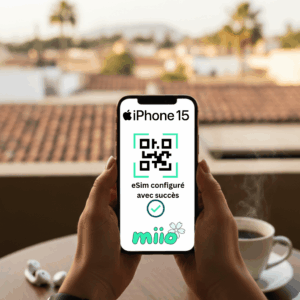
One of the best alternatives to using a VPN is to maintain private and encrypted mobile access. Unlike shared Wi-Fi hotspots, the’Miio eSIM connects you directly to the official cellular networks of the best local operators in more than 150 countries.
Your communications and data packets are encrypted according to strict telecom standards, making interception of your banking or personal information virtually impossible.
Easy to install in 2 minutes before your departure, the eSIM guarantees you a high-speed, independent and totally secure connection as soon as you get off the plane.
First step? Check your phone's compatibility !
For worry-free travel, forget the pitfalls of public networks and opt for the security of a private connection with eSIM.