
Are you actively preparing for your next trip abroad and want to stay in touch with loved ones? Are you considering buying an eSIM and wondering if you'll lose access to your WhatsApp account for making calls?
The answer is NO. Using a travel eSIM lets you keep your WhatsApp account and phone number, wherever you are in the world. Find out how it works.
Why does WhatsApp continue to work with an eSIM?
To understand this, you need to understand how the application works.
Contrary to popular belief, WhatsApp is linked to the application installed on your smartphone, and not to the physical SIM card. who is there at a given moment.
Once your app is activated on your phone, it simply needs an internet connection (either Wi-Fi or mobile data) to send and receive messages.
If your phone supports the Dual SIM, Your smartphone is capable of handling two lines simultaneously:
- Your standard physical SIM card, which manages your identity and your number.
- Your new eSIM card, which will serve as an exclusive tunnel to provide you with a high-speed internet connection abroad.
Since Your main number remains active in the background., WhatsApp sees no change and continues to function as if you had stayed at home.
How do I configure my phone?
The setup only takes a few moments. Here's a step-by-step guide to prepare for your departure:
1. Before departure
Buy your plan online and install your eSIM (preferably Miio).  ).
).
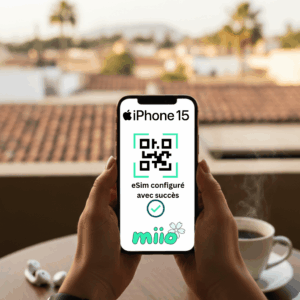
Scan the QR Code You will receive it by email or in your customer area. We advise you to do this at home, in your own time, before you leave.
2. Upon landing abroad
Go to your smartphone's network settings (iOS or Android):
- For mobile data: Select the eSIM as your primary line. It will provide internet access. (Enable data roaming)
- For regular calls and SMS messages: Leave your main line active. Disable data roaming
(Attention : Also disable the "Cellular Data Switching" option« to prevent your usual provider from connecting to the internet abroad).
3. Launch WhatsApp
Simply open your WhatsApp application. In 99% of cases, everything works instantly.
If the application detects a network change and displays a message asking if you want to update your phone number, please ensure that Click on "Keep current number"«.
The 3 advantages of eSIM for your WhatsApp calls while traveling
- High-definition calls and video calls
- Completely invisible to your contacts
- Zero roaming charges
What should I do if WhatsApp requests SMS verification while abroad?
This is a rare situation, but it can happen if you switch smartphones just before leaving or if you reinstall the app during your trip. WhatsApp will then want to send you a security code via SMS to verify your identity.
The trick: To receive this validation SMS, your main line must be activated and connected to the local network. Don't worry: receiving a standard SMS abroad is completely free with almost all operators. Once you receive the SMS and enter the code in WhatsApp, you can browse with peace of mind again.
Ready for a connected and stress-free trip?
Traveling with an eSIM is convenient. You retain control of your apps (WhatsApp, Google Maps, Uber, banking apps) while enjoying a local internet connection.
If you have a compatible phone, activation only takes 2 minutes. Are you packing your bags for a road trip through several countries? Discover the advantages of regional eSIMs.